Apple released their new iOS version 17.2 on December 11, 2023. This latest update includes valuable and engaging features like a Journal app. contact Key Verification and some fun features. So, in this article, we are going to talk about these new features you get from iOS 17.2.
You can easily download this latest update using your device. Go to settings>General>Software Update and tap Install now.
The New Journal App
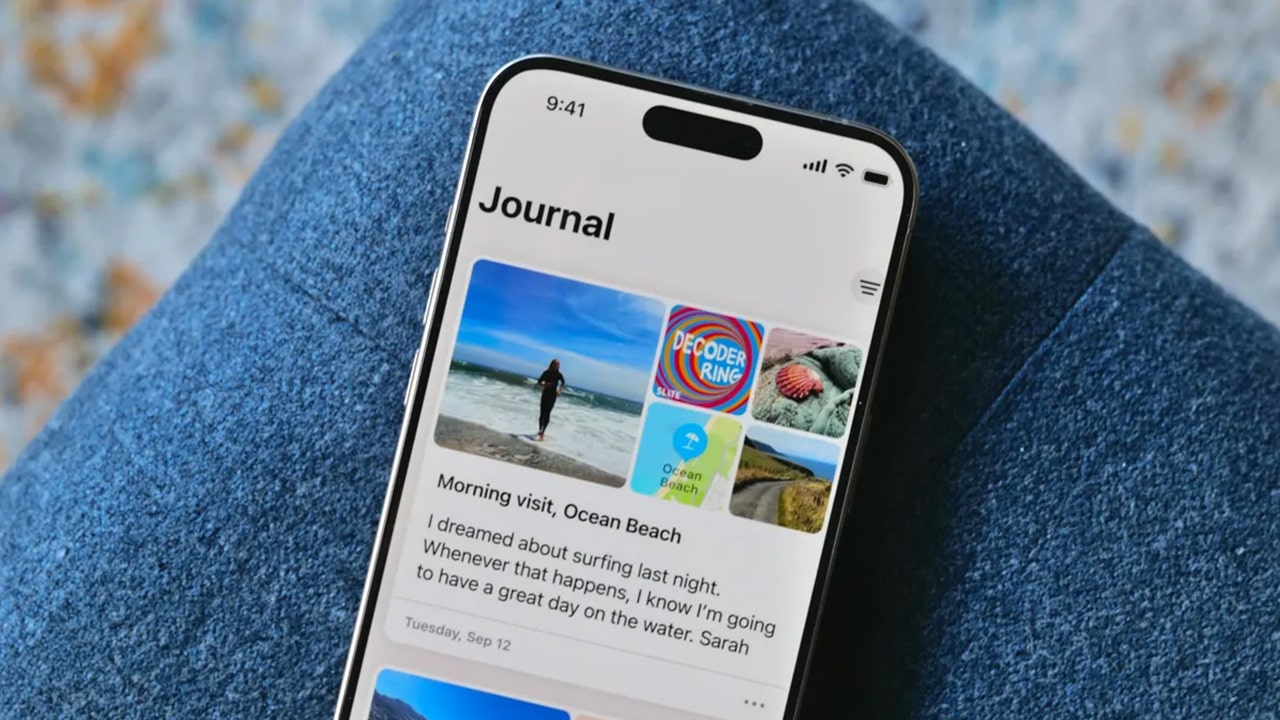
This new Apple writing tool comes with iOS 17.2 update. This app helps people to write their journals and simply add pictures, videos, and any other content. This is pretty easy compared to other apps. This app can also give personalized writing suggestions for you. Some of these suggestions are made from the user’s phone data, such as photos, videos, music, and the podcasts you listed. When you use this app, your contents are stored on your laptop but also you can use iCloud as a backup option.
This journal provides Reflections. This inspires your writing and offers ideas or topics to add to the content. As an example, something like, think about something you love to do. or why does that thing make you happy? or what is something you have read about life? If you do not like these Reflections you can use New Entry and from that you can start as you wish. All users have to do is tap the new entry button. Then users can add voice notes, capture a photo, write anything want, or produce a video to include in their notes.
The best thing is that this app has end-to-end encryption. They use this between Apple devices and iCloud. So can access the journal. Only you can do that, and not even Apple can access it. Also, users can lock the app and put a Face or Passcode lock. You can set the lock required time, one minute, 5 minutes, or 15 minutes.
New Contact Key Verification
This is very useful for someone who works in human rights activities, journalism, or government field. With these, they can verify who they are messaging. If the person is the one they intend. Most users will never be the target of cyberattacks. But this feature can add a layer of security for a person who could become a target of these attacks.
All you have to do is go to settings then give Apple ID and enable Contact Key Verification. For this, switch on the Verification in iMessage and follow the prompt that appears on the screen. Then this feature will work.
Use Live Stickers To React
This is one of the most impressive features of this new update. Users can now turn their photos and live photos into custom Live stickers. So people can share these stickers through iMessage and other apps. The live stickers feature was introduced in iOS 16. With this new update, users can now cut out any image or live photo and make live stickers as they need. Then can react to messages with them.
New Apple Music Settings
In this update, if the user subscribes to Apple Music using iOS 17.2, their favourite songs automatically add to their library. If users don’t want this feature, they can turn it off by settings> Music. Then tap the toggle next to Add Favorite Songs.
There Are More Memoji Customizations
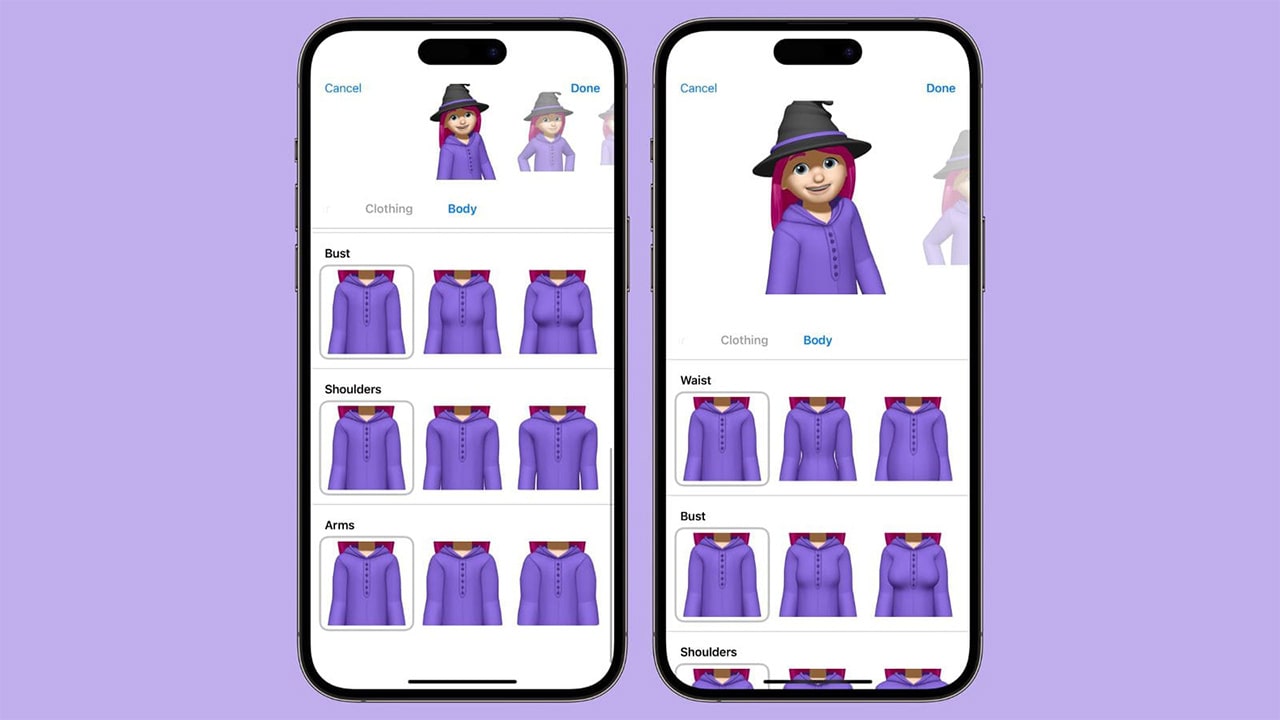
With this feature called Memoji, people can now create their animated twin, dye their hair as wish, and give piercings as they wish and can make fun of this. In 2018 Apple introduced this avatar, and with the 17.2 update, they added more features. In the iOS 16 version, users can add new hairstyles, headwear, and poses to the Memoji. But with the new update, they have an option called Body. This is in the editorial section. The option lets you customise the appearance of the Memoji’s body, like waist, bust, shoulders, and arms. But they can’t make fully customised characters using this feature, as seen in video games.
Can Change The Default Notification Sounds
For the first time in history, Apple allows customers to change the default notification time as they wish. This is a cool feature because more people want to customise their phones as they wish. To do this, go to settings, then sounds & haptics > Default Alerts. Users can now change the Haptics as they wish. They have to tap the create new vibration and create a new one.
Apple Music And Photo App collaborate
When users update the new version, they will asked to give permission to photos to access the Apple Music Library. Then they can use songs and mix them with photos. With this, users can mix memories and music.
Catch-up Arrow Feature
This feature is for messages. This new feature lets users understand what happens in a group messaging context or if a person sends many messages. They can return to the new messages’ starting place and follow what happened. They can use the catch-up arrow feature for this.
A New Option For Sharing Contact Posters
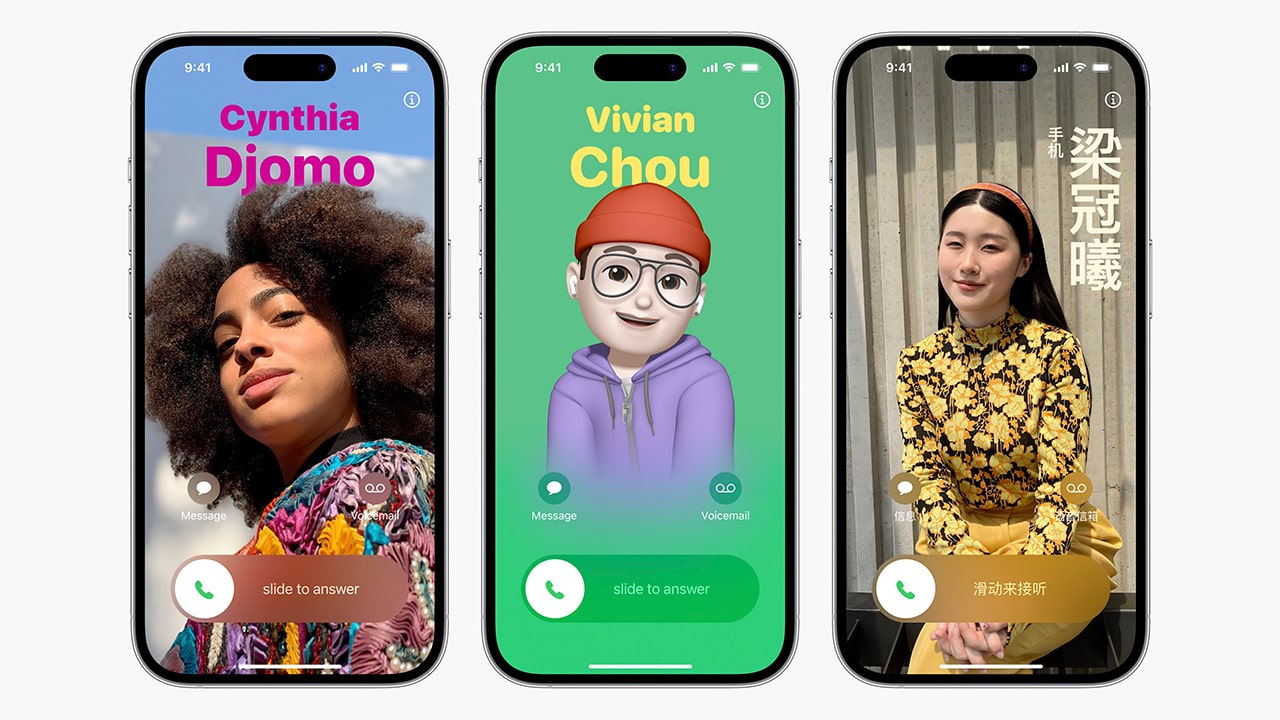
You can contact the poster with this update. Go to the settings, then Phone or FaceTime > Share Name and Photos.
iPhone 15 Pro Action Button Updated
With this update now the action button has a translate function. That means it allows users to translate converse or phrases in different languages.
Content Sharing Between Apple Vision Pro Headset And iPhone
Under the AirPlay & Handoff setting, another setting is called AirPlay Receiver. Users can now share content from their Vision Pro headset to the iPhone using that.
Spatial Video Recording For iPhone 15 Pro And Pro Max
You can now record spatial video from iPhone 15 Pro and Pro Max. This allows viewing those videos in 3D on the Vision Pro headset and watching them in the Photos app.
Disable Inline Predictions On The Keyboard
You can now turn off inline text predictions on your iPhone.
More Warnings For Sensitive Content
With iOS 17, there was a feature that helped blur out images and videos that contained nudity. With this 17.2 same warning has been exposed to live stickers and contact posters that may contain nudity.
More Siri Questions
With this 17.2 latest update users can now ask more questions from Siri. Like what is your altitude? Or if you use voice assistant for directions you can ask the reaching time etc.
Updated Weather Widgets
With this update, we now have 6 different widgets to choose from. It also has new features like an interactive moon calendar and wind speed and direction.