Around 2018 October WhatsApp introduced their first sticker experiences to their users. Since then, users have started to love this feature so much. After that, they introduced a feature that allows users to create stickers as they wish. Also, many apps support this task. In Android phones, there are no limits to doing this. However, there are some limitations to Apple phones, and they have to use additional apps to do these things. Doing this with these third-party apps may be tiering. So many Apple users are suffering from these things.
Finally, the new WhatsApp version for iPhone lets users create their stickers as they wish. The new feature was introduced with the WhatsApp iPhone version 23.3.77. this is now available in the App Store. This app supports their users to convert any picture to a sticker. This is not the iPhone’s built-in feature. This comes with Apple’s new iOS 16 update. So, there are no separate interfaces to do this task. This uses Apple iOS 16’s new API, and it separates the picture with the drag and drop technique.
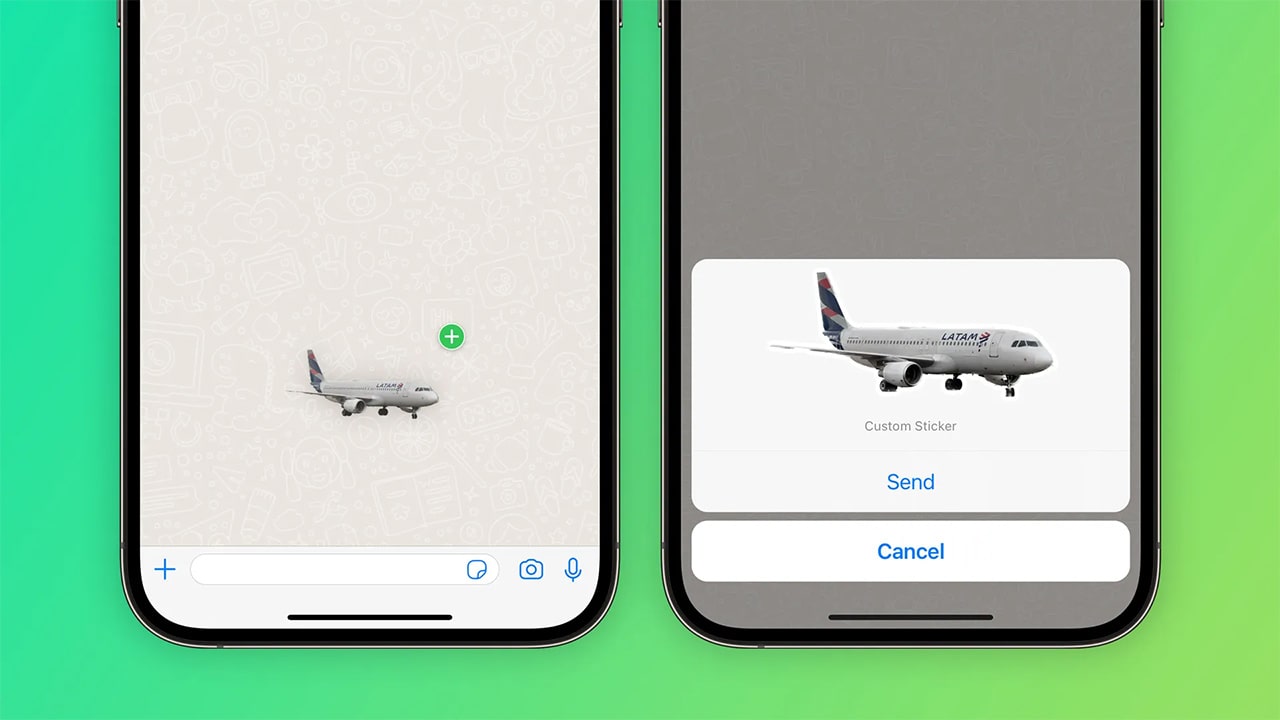
Steps
- First, navigate to the Photos app and open it.
- Then choose the photo that you want to create the sticker.
- Choose the subject you want to and tap and hold it.
- Finally, drag and drop them into a WhatsApp conversation.
After you do this, it will ask if you want to turn your chosen photo into a sticker. Then you can send the sticker. After sending it, it will be saved as a sticker in your WhatsApp sticker collection. This feature works with iOS 16, and you can’t use any previous iOS versions to do this task.
Also, you can use some third-party apps. They are available in the App Store. But using these apps may be hard. So, try to update the iOS version and use this fantastic new feature.