iPhone users have their new update named iOS 17.4. This adds a new feature to Apple devices, allowing Siri to read your incoming messages. The best thing is that it reads messages in the languages you choose. This will be a great update. In this article, we are going to tell you how this works.
If you can remember in the iOS 17 update, Siri’s work with the messaging app has limited options. It can send dictated messages without asking the owner to confirm whether it is ok or not. But this new update gives new features, and now Siri can read messages to you even in a different language than the primary language normally Siri listens to. If you haven’t updated yet, update your iOS version simply by going to settings and updating it.
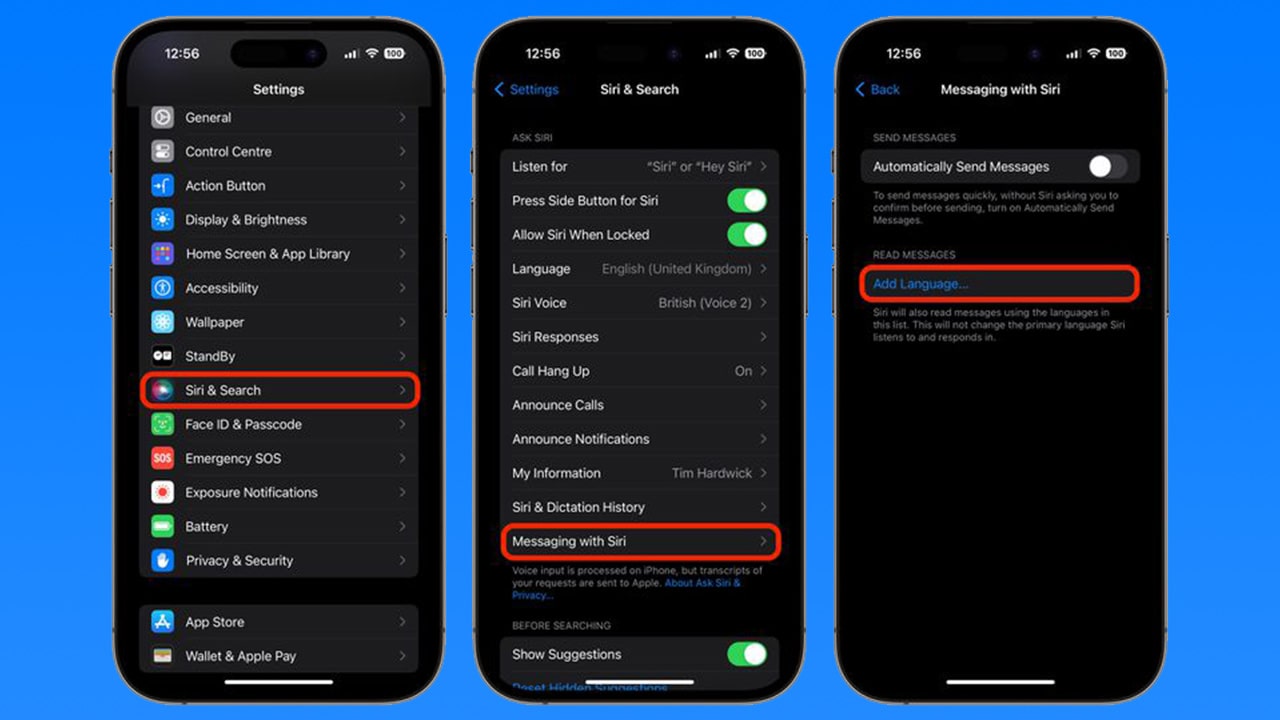
- First, go to the settings app
- Then tap on the Siri & Search tab.
- Then navigate to Messaging with Siri
- Then, you can see Read Messages. In there, tap on Add Language.
- Then select a language and download it.
This may download in minutes, and then tap on it. You can choose any settings available in there. also, you can add many languages here. More than one.
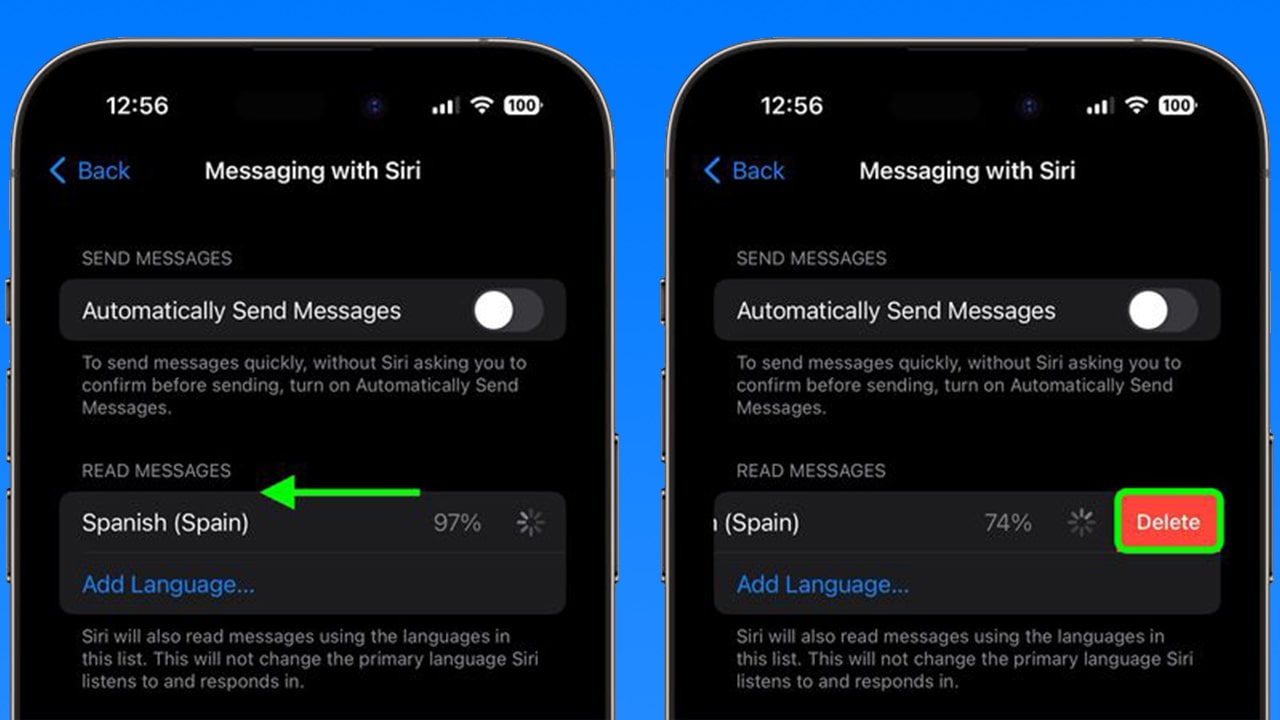
If you want to delete any language here, it is also easy. Simply swap left on the language and tap on the delete button. You can see the available language list on Apple’s official site.