Shazam Music is one of the best apps when you want to search for a song. When you hear some song randomly, and you want to find that song to hear again, this app comes as your rescuer. This can identify any music based on the part played. This app was created by Shazam Entertainment, and in 2018, Apple company owned it. For $400 million this company was given to the Apple company.
macOS Sonoma 14.2 version came up with some new functions for this Shazam music recognition and it became new news for everyone. In this article., we will show how to include these functions in the Menu bar. Before introducing this thing to Mac they introduce them to the iOS and iPadOS. Now the same features are in the Mac.
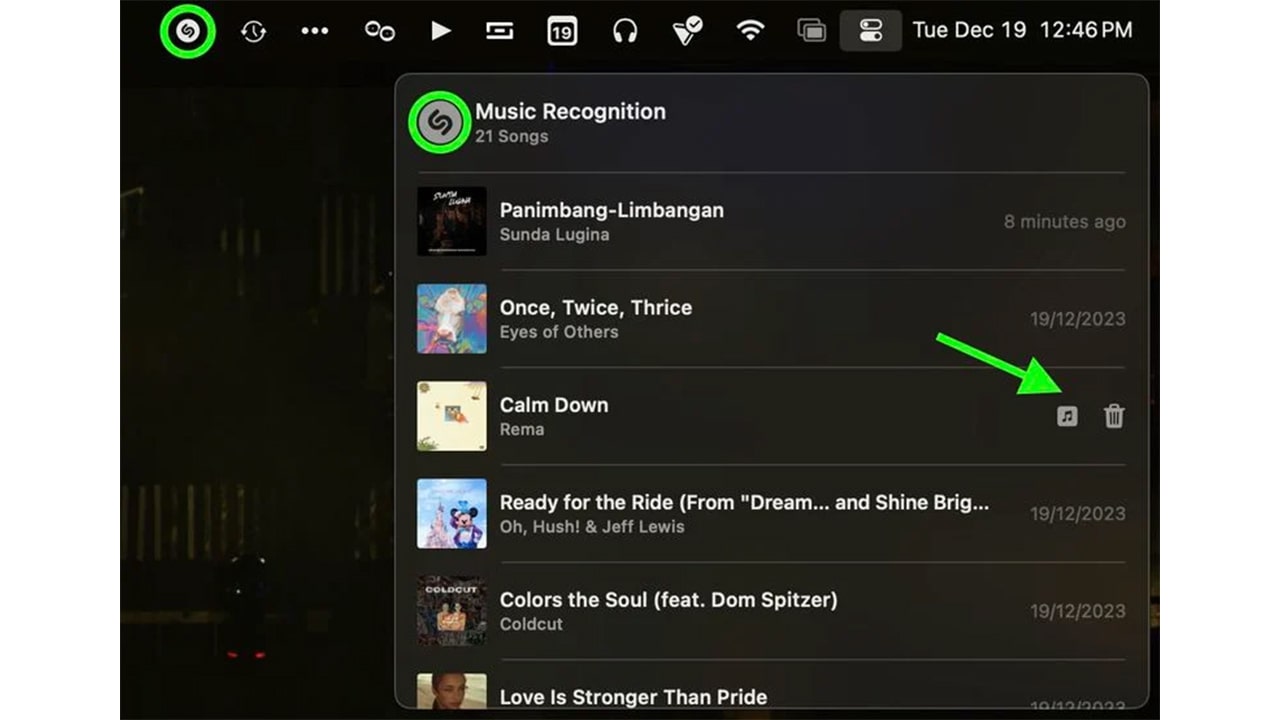
In the previous version, the Shazam application was needed to add Shazam to the menu bar. Otherwise, you can ask Siri to find any song. But with this update, you have another way to do that task. The Shazam dropdown menu allows you to browse the history, and then you can see the previously identified songs. You can use the Shazam menu bar item to identify the song. Also, you can use the Control Center button for the same task.
How to add Shazam music recognizer to Mac’s Menu bar
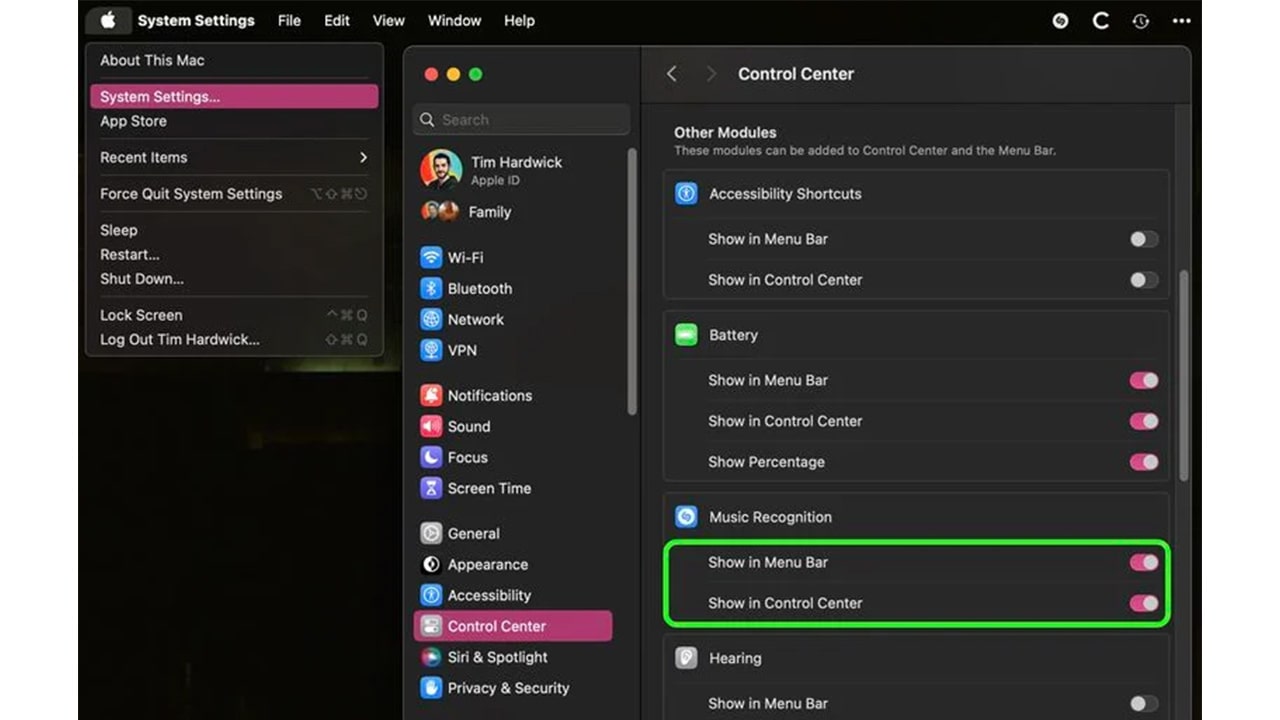
- In the Mac’s menu bar, there is an Apple symbol. Click it.
- Then, you can select the System settings. Then, find the control center. You can find it on the right side.
- You can see the music recognition section. In that section, you can see toggles next to Show in the Menu bar and Show in the Control Center. Switch on these toggles.
- After that, you only have to open the control center on the Mac.
- Then click the Shazam icon.
- Then it will do the job for you.
- You can do the same thing with the menu bar.