Realtime Log is the method used to record all the activities and behaviors of Apple iDevices. So, all the activities on your iPhone are recorded in the Realtime Log and you can view them using 3uTools. You can understand how it happens from the following explanation.
- First, you have the facility to download 3uTools latest version through our website.
- Then install it on your computer.
- Now connect your Apple iDevice to the computer using the USB cable.
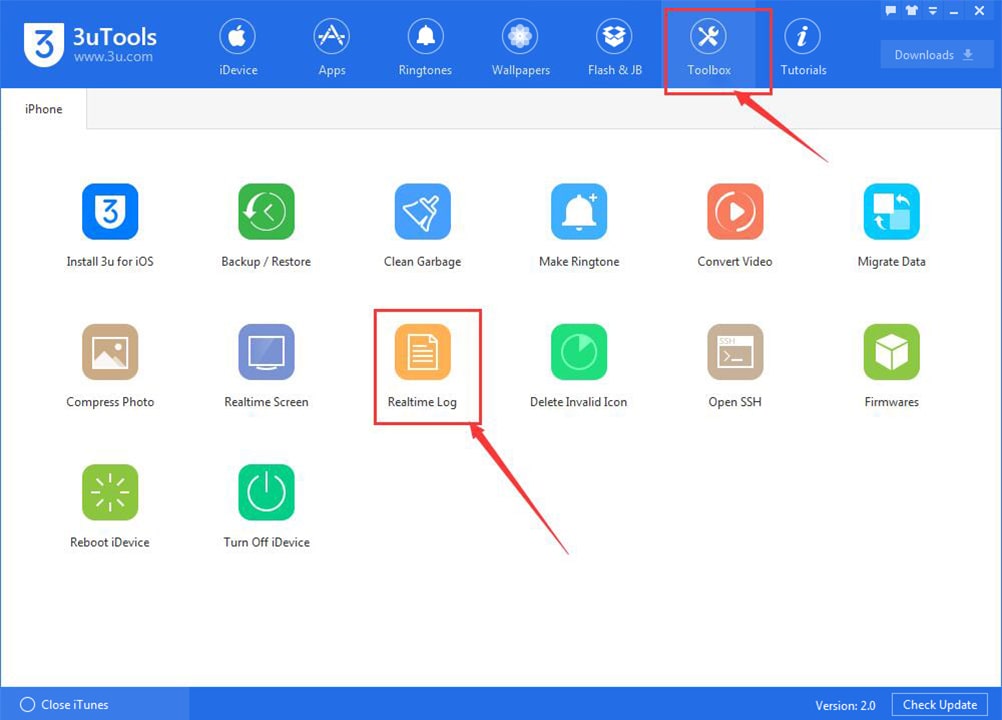
- After that, open 3uTools and access the “Toolbox”.
- Then click “Realtime log”.

Now you can see the real-time log on your iPhone as shown in the image below. All the activities and behaviors of your iPhone are recorded there and there is a chance to export them if needed and delete them if there are unnecessary.
Accordingly, you can give “Export” to export and “Empty” to delete.