3uRemote is the latest release of the 3uTools kit that is featured to control your desktop remotely. This new tool is available for both Windows and Android and is rich of features such as quick connecting, pairing, controlling, and safe access.
3uRemote includes things that were impossible in technology this far; having controlling your desktop from your phone in the distance and other incredible features that take your technological experience to the next level. Therefore, it is no wonder that any user is new to 3uRemote and has questions about using the same.
This article will brief you about the key features of this tool, how to install it on your devices, its advantages and disadvantages together with other commonly asked questions about this new app.
3uRemote Download
Windows x86
3uRemote v1.0.2.08 – x84 (96MB)
Windows x64
3uRemote v1.0.2.08 – x64 (118MB)
Android
The setup files for the 3uRemote Android version and Windows version are available on this website. You can download them simply by visiting this web page and clicking on the relevant Download buttons as per your requirements.
Next, go to your Downloads folder and tap to run the downloaded setup file. Hit the “Run” button on the device when the “Open File” dialog box appears.
You will also have to tick the “I Agree” box to continue the installation process. As the progress of installation is visible on the screen, wait for it to complete.
When you first open the 3uRemote App on your device, you will have to register with a username and a password. After the verification of the app, you can log in to your newly created account and connect it to your PC or vice versa through a commonly shared password.
The app will guide you in the process of pairing the 2 devices. So, after installing 3uRemote on your mobile or PC, you can start to enjoy unlimited control of distant devices from wherever you are.
3uRemote Features
3uRemote brings you unthinkable features of device control from a distance to your hand. Listed below are such features of the tool:
Swift Activity
This remote can perform the desired functions within milliseconds of the command time. So, all the processes of connecting, processing, and operating are covered without you even noticing them. You will find the operation performed right after you give the remote command from the device on your hand.
Data Safety
3uRemote, just like the other 3uTools, uses end-to-end data encryption to perform the desired functions. This ensures your data privacy and safety in accessing even a foreign device.
High-Quality Display
You shall have an extremely clear display of the app on your device and the controlled operations on it. The app provides you with the highest picture quality that makes the icons and buttons very clear and thereby easy to use.
Multi-Channel Remote Control
3uRemote provides you the ability to control a single device with multiple other devices. This is a new technology to most of the users out in the technological world and hence will find this feature highly valuable. Even for commercial and industrial use other than domestic alone, 3uRemote can bring ease of access to distant devices.
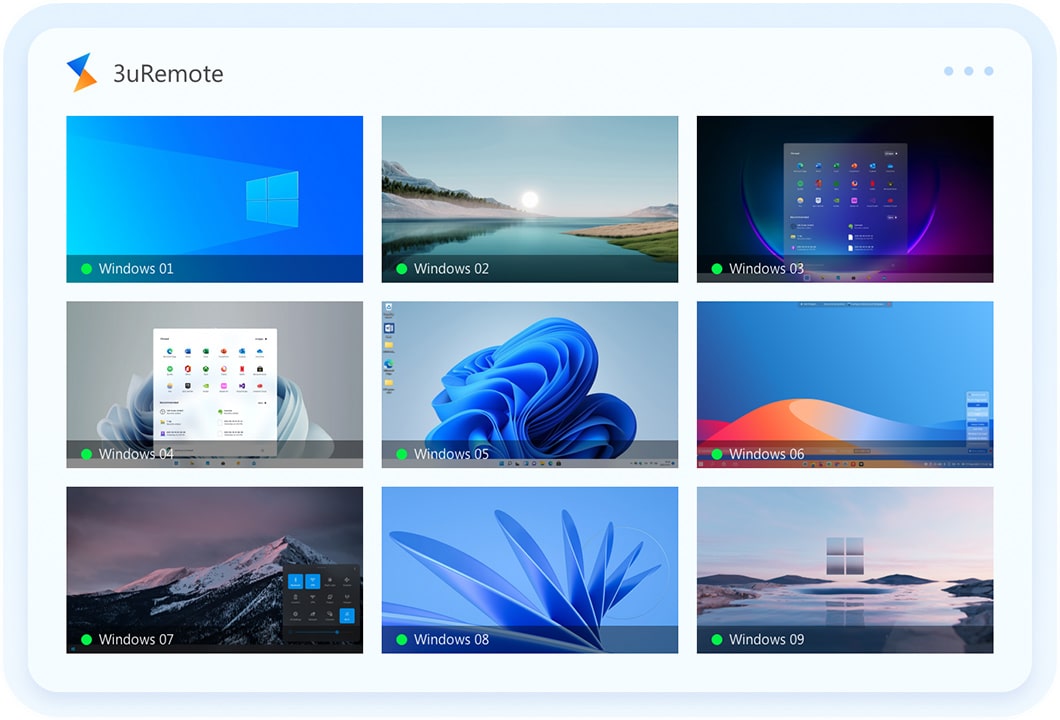
Remote Screen Wall
This feature provides you with a single screen to view all the other devices that have control of the main device. It also includes the status of activity and availability of those control devices in real-time. Through this remote screen wall, you are allowed to monitor the devices which you wish your controllability with.
Mobile Remote Control
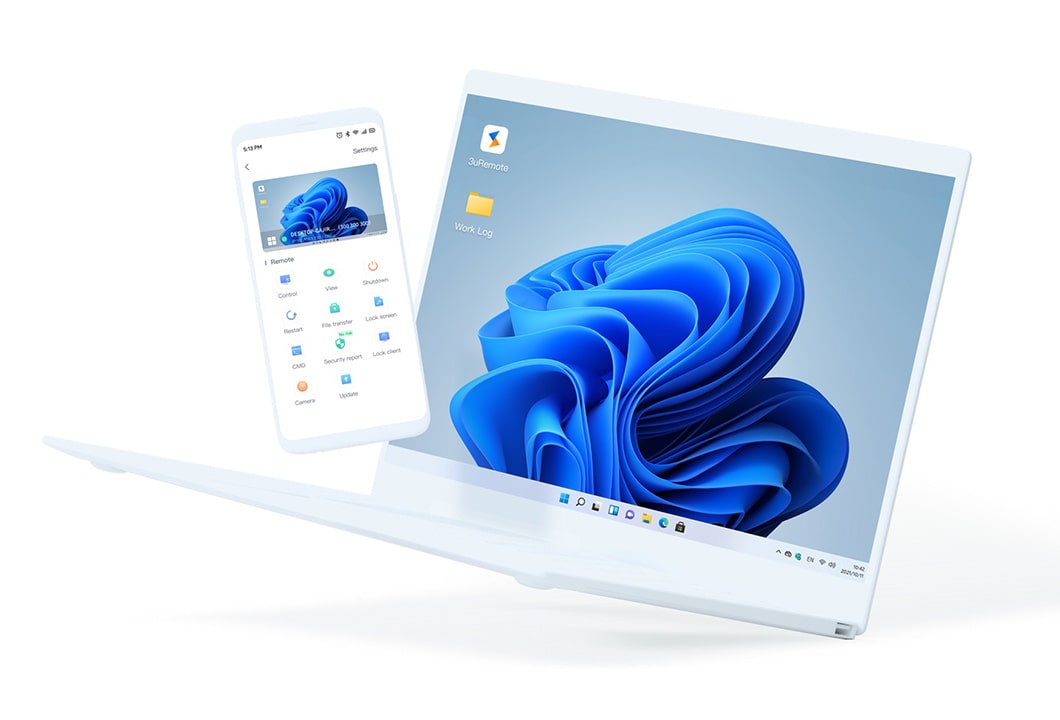
3uRemote basically means that you can control your desktop from your mobile phone. You can operate Windows apps, play games, play other media, close apps, and even perform functions related to the internet. So, you no longer will have to sit near the computer to work on it. Instead, you can use your phone to do complex activities with the Windows apps.
All Functions Control
3uRemote is capable of performing all the functions on your desktop. These may include app operations, media playback, peer-to-peer encryptions, multiple screen functions, account management, screening channels, playing games, etc.
Safety and Legality of 3uRemote
3uRemote, like the rest of the 3uTools, is highly secure and legal to use. This is owing to the end-to-end encryptions that the app uses to perform functions from the other device and the safety that it caters to during the processes of downloading and installing the app. It should be highlighted that no viruses or other malware threats are associated with you getting this app to your phone. Also, the usage is highly secured.
And since there is a legal statement that you get to agree to when you first start using the app, the app’s legal status is transparent and justified. This includes all the terms, conditions, and legal rights presented by the respective authorities granting 3uRemote their certification. There are also no boundaries of using this app due to the location.
Pros and Cons of 3uRemote
Pros:
- 3uRemote is free for you to download and use.
- This tool consists of a simple and clear interface.
- Provides access to devices from a distance.
- This is compatible with both Windows and Android.
Cons:
- A 3uRemote iOS version is not available yet.
- There could be a risk to personal data.
- There are paid plans for more advanced features.
3uRemote FAQs
Q: Why use 3uRemote?
A: This 3u Remote comes with a variety of advanced features to allow control of your other device remotely. There is a screen wall, remote channels, and multiple access to the same device.
Q: Do I have to purchase 3uRemote?
A: No, you can download 3uRemote for free. However, there are other paid plans which you can upgrade your app to.
Q: Is 3uRemote safe?
A: Yes, 3uRemote is absolutely safe to use on your device. Just make sure that you download the app from a trustworthy source.
Final Words
It should be clear that 3uRemote is a new tool that will help your work and other device functions easier than they used to be. Also, since it comes with so many features that allow you unlimited control over other devices, this app is exclusive from the other tools that you have ever known this far. So, be no more late to make this amazing app yours and try out the new experience.